> ## Documentation Index
> Fetch the complete documentation index at: https://docs.ctechnology.io/llms.txt
> Use this file to discover all available pages before exploring further.
# Subscriptions and payments
> How you can handle subscriptions, payment methods, and billing information for premium services.
The c.technology ecosystem requires a **subscription per vehicle**.
Often, this subscription is provided by your vehicle manufacturer or dealer as part of your vehicle purchase or lease agreement for a limited time (e.g., 1 year).
If you have no active subscription, you will be prompted on the dashboard (both mobile and web app) to activate a subscription.
 In addition, some **premium services** may require an additional subscription, e.g., for advanced navigation features or connected car services.
These subscriptions can be managed in the "Subscriptions" section of the app.
Finally, professional partners may charge **individual fees** for services such as vehicle hibernation, preparation, etc.
These fees are handled by the individual "vehicle services" but their invoices may be viewed in the "Subscriptions" section of the app.
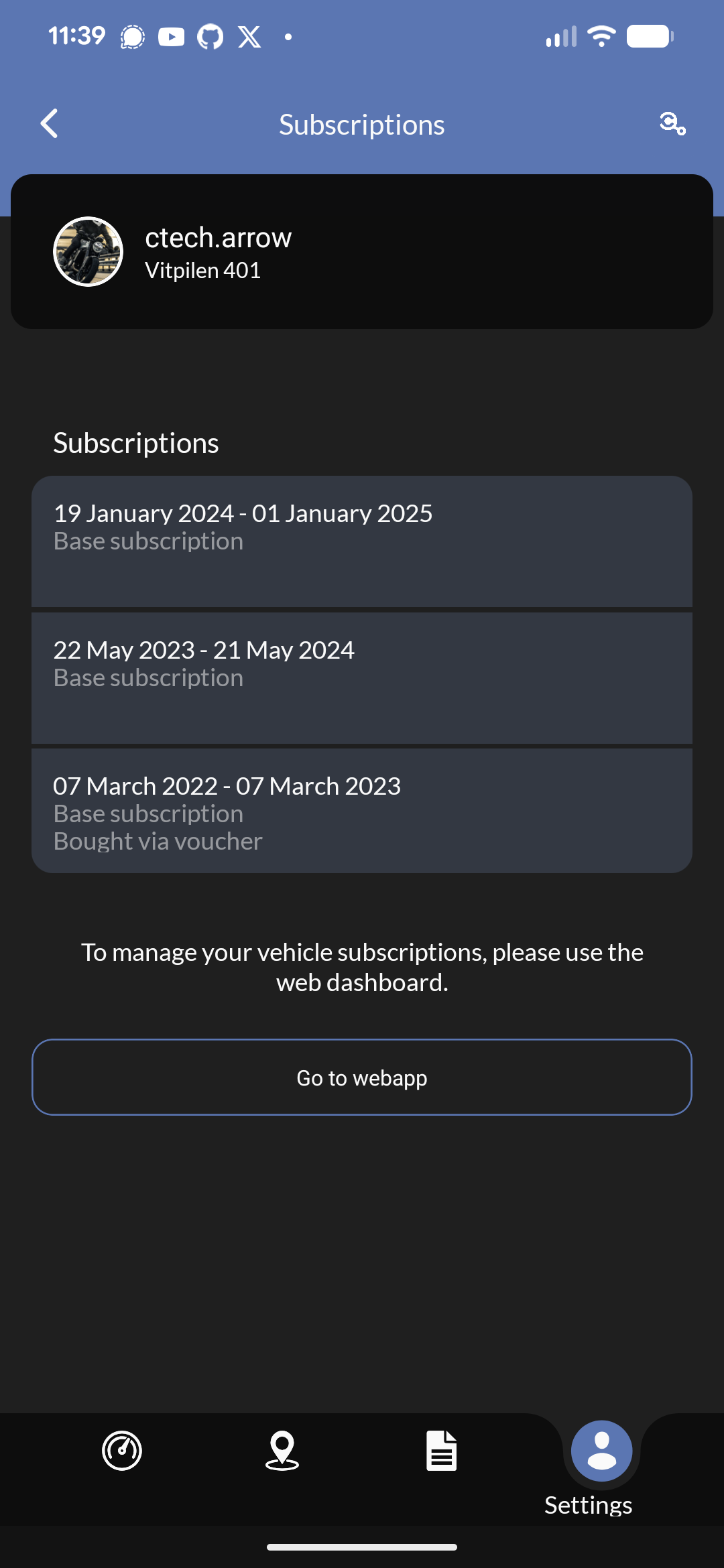
Currently, you can see your current subscriptions and payment methods in the mobile app, but you need to manage them in the web application under [app.ctechnology.io](https://app.ctechnology.io).
## Billing methods
c.technology only supports credit card payments via Stripe for private and professional customers, and vouchers (can be purchased from the [c.technology shop](https://shop.ctechnology.io)) for private customers.
You can add, remove, and update your credit card information in the "Subscriptions" section of your personal settings on the web application.
In addition, some **premium services** may require an additional subscription, e.g., for advanced navigation features or connected car services.
These subscriptions can be managed in the "Subscriptions" section of the app.
Finally, professional partners may charge **individual fees** for services such as vehicle hibernation, preparation, etc.
These fees are handled by the individual "vehicle services" but their invoices may be viewed in the "Subscriptions" section of the app.
Currently, you can see your current subscriptions and payment methods in the mobile app, but you need to manage them in the web application under [app.ctechnology.io](https://app.ctechnology.io).
## Billing methods
c.technology only supports credit card payments via Stripe for private and professional customers, and vouchers (can be purchased from the [c.technology shop](https://shop.ctechnology.io)) for private customers.
You can add, remove, and update your credit card information in the "Subscriptions" section of your personal settings on the web application.
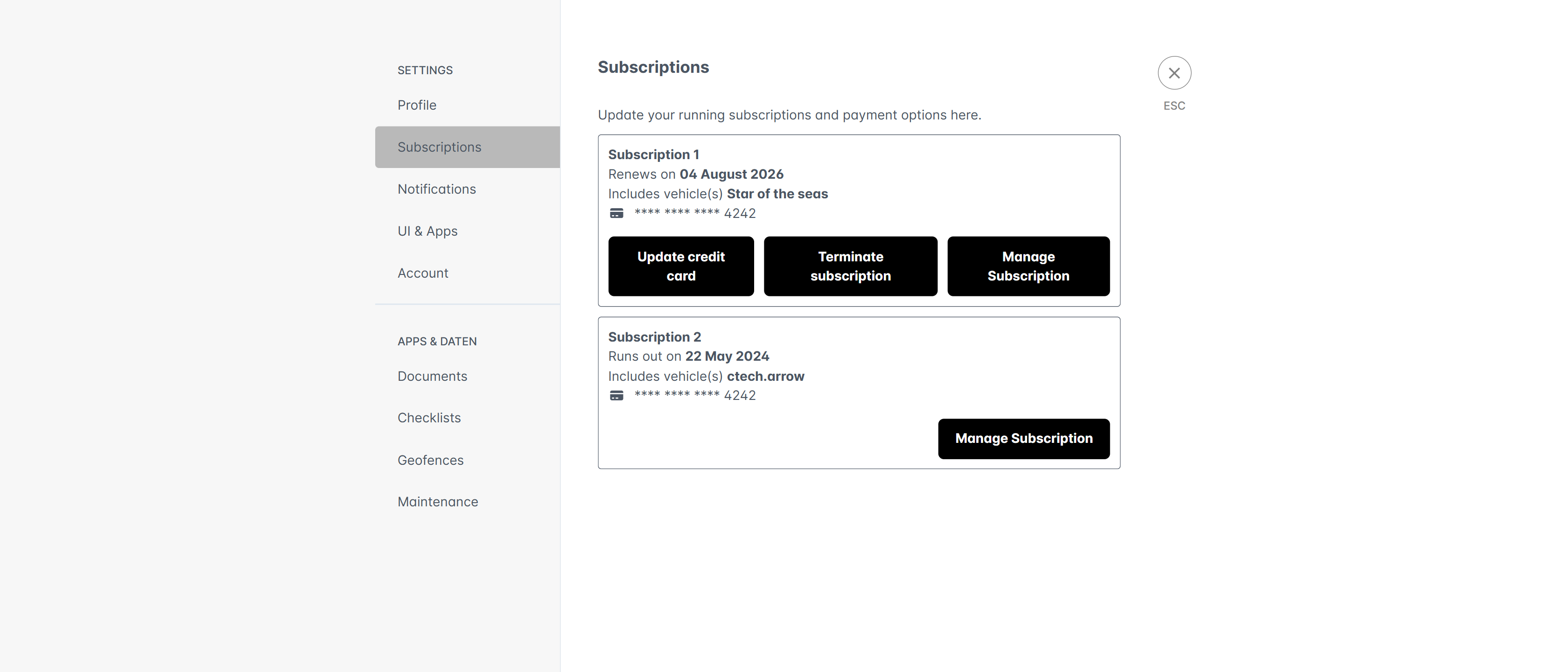 Click on *update credit card* to add a new credit card or update your existing one.
Click on *terminate subscription* to cancel your current subscription at the end of the current billing period.
Click on *manage subscription* to get to the detailed subscription history for the selected vehicle.
## Vehicle subscriptions
The "Vehicle subscriptions" section in the vehicle settings on the web application shows the currently active and potential past subscriptions for the selected vehicle.
You can see the start and end date of each subscription period, how you have purchased it, and if it automatically renews.
If you have not activated a trial subscription, you can activate it from this screen as well.
Click on *update credit card* to add a new credit card or update your existing one.
Click on *terminate subscription* to cancel your current subscription at the end of the current billing period.
Click on *manage subscription* to get to the detailed subscription history for the selected vehicle.
## Vehicle subscriptions
The "Vehicle subscriptions" section in the vehicle settings on the web application shows the currently active and potential past subscriptions for the selected vehicle.
You can see the start and end date of each subscription period, how you have purchased it, and if it automatically renews.
If you have not activated a trial subscription, you can activate it from this screen as well.
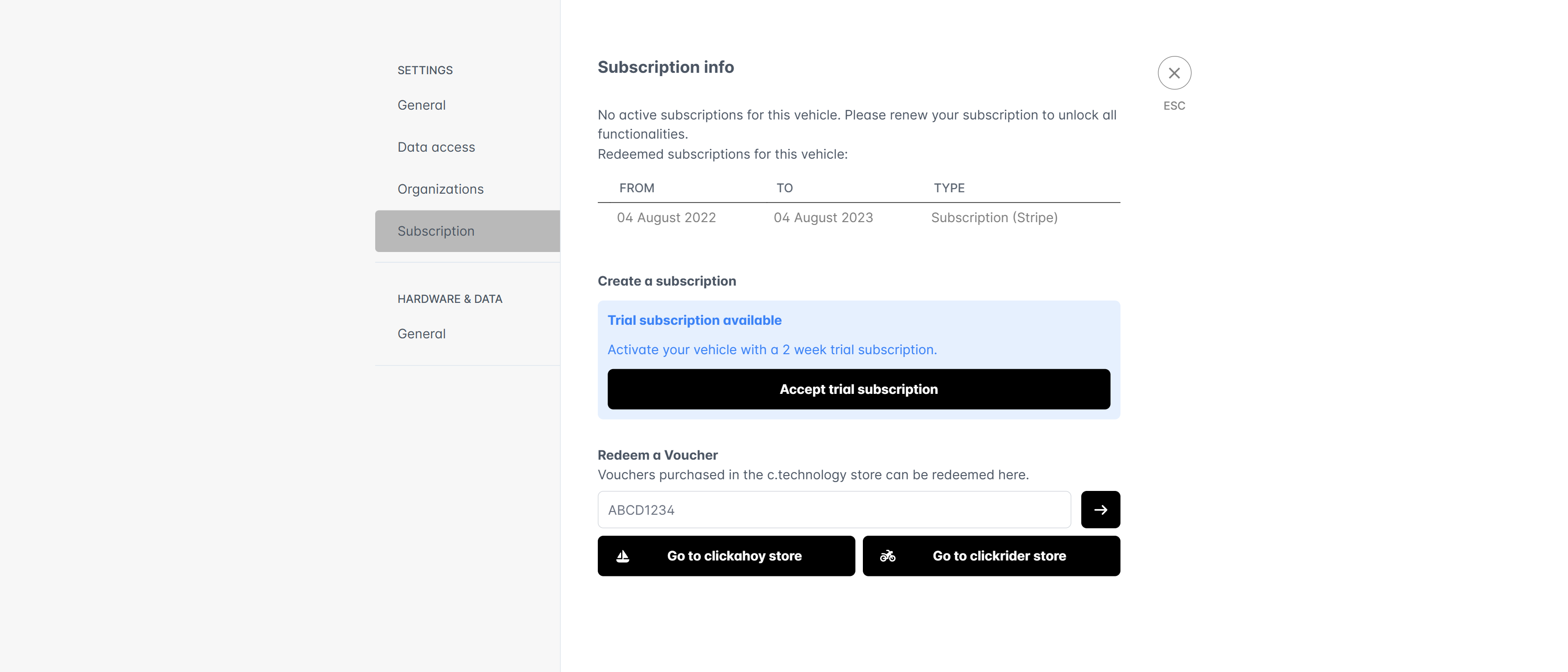 If you have purchased a voucher from the [c.technology shop](https://shop.ctechnology.io), you can redeem it by entering your voucher code in the "Redeem voucher" section at the bottom of the screen.
Clicking on *redeem voucher* will apply the voucher to your current vehicle and activate a subscription for the duration specified in the voucher.
If you have purchased a voucher from the [c.technology shop](https://shop.ctechnology.io), you can redeem it by entering your voucher code in the "Redeem voucher" section at the bottom of the screen.
Clicking on *redeem voucher* will apply the voucher to your current vehicle and activate a subscription for the duration specified in the voucher.