> ## Documentation Index
> Fetch the complete documentation index at: https://docs.ctechnology.io/llms.txt
> Use this file to discover all available pages before exploring further.
# Organization settings
> Managing your organization settings, support info, and visual customization.
In the settings section, you can manage various aspects of your organization, including general organization settings, support information, and visual customization options.
You can access these settings by clicking on the settings menu entry in the sidebar.
## Organization settings
The basic organization settings allow you to update your organization's name, address, and contact information.
This information may be shown to your customers in various places, such as the Private App or in email communications.
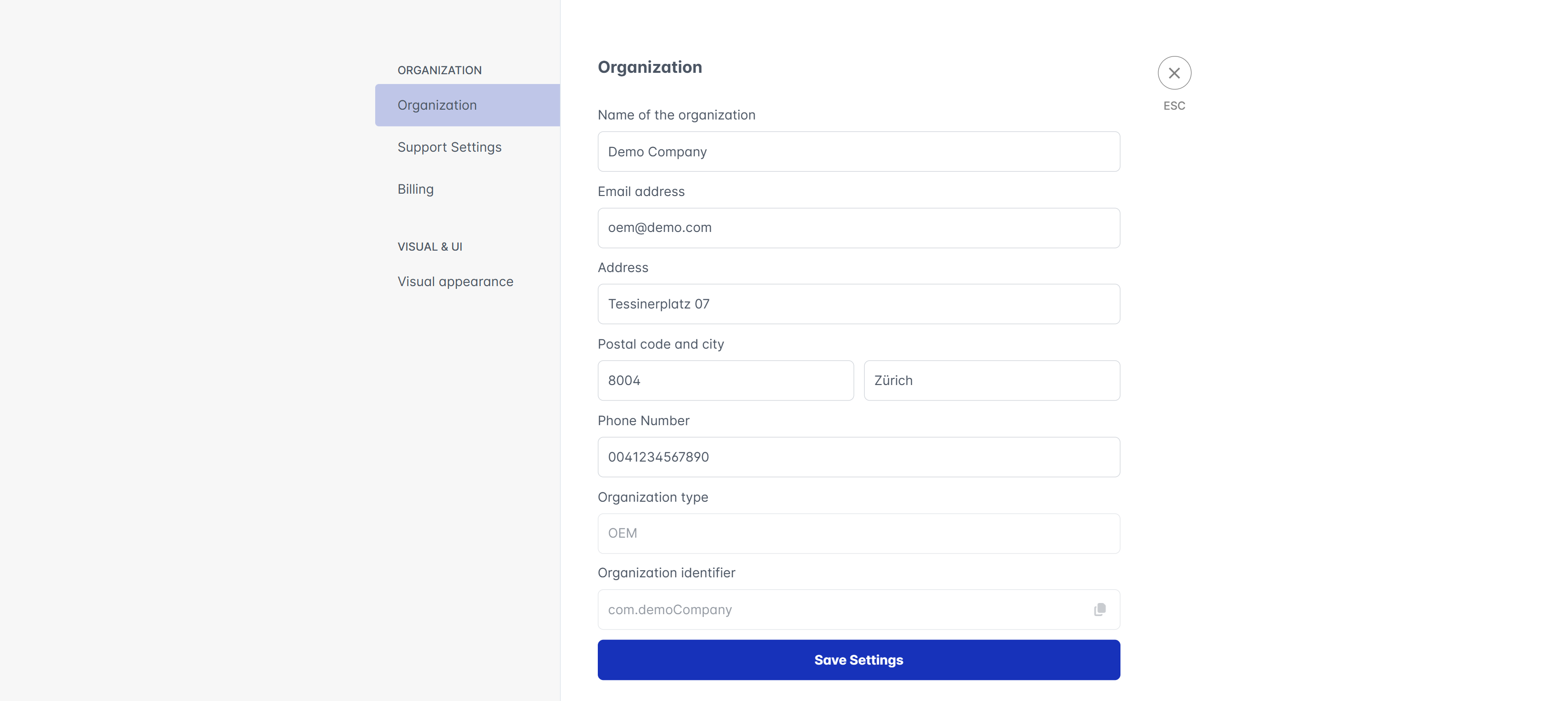 The organization identifier is a "reverse domain" notation id that uniquely identifies your organization within the system.
It is set when your organization is created and cannot be changed later.
In any communication with the support team, please always include your organization identifier to help us assist you more efficiently.
## Support settings
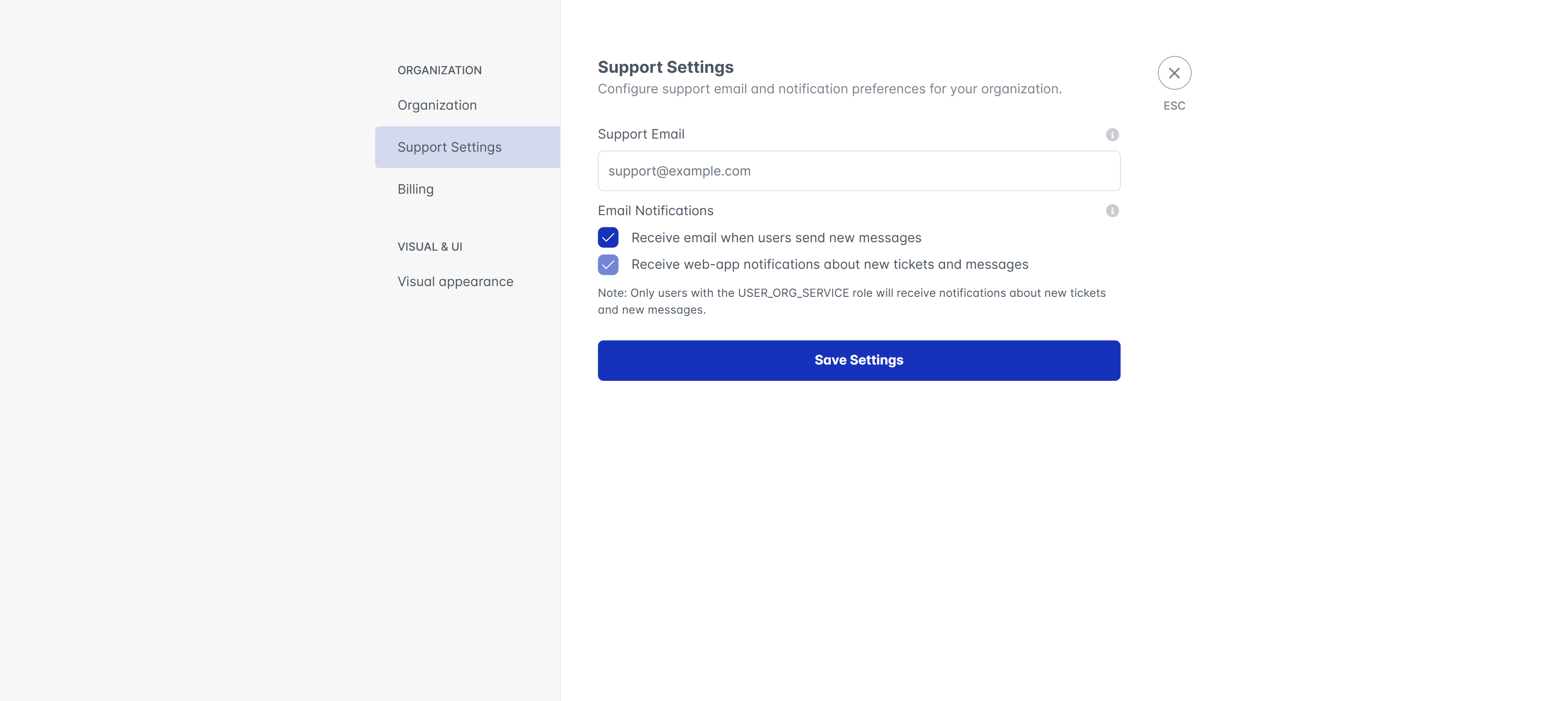
For support, you can specify a support email address and phone number that your customers can use to reach out to you for assistance.
Additionally, you can specify if you should be sent emails upon new support messages from your customers.
The organization identifier is a "reverse domain" notation id that uniquely identifies your organization within the system.
It is set when your organization is created and cannot be changed later.
In any communication with the support team, please always include your organization identifier to help us assist you more efficiently.
## Support settings
For support, you can specify a support email address and phone number that your customers can use to reach out to you for assistance.
Additionally, you can specify if you should be sent emails upon new support messages from your customers.
 ## Visual settings
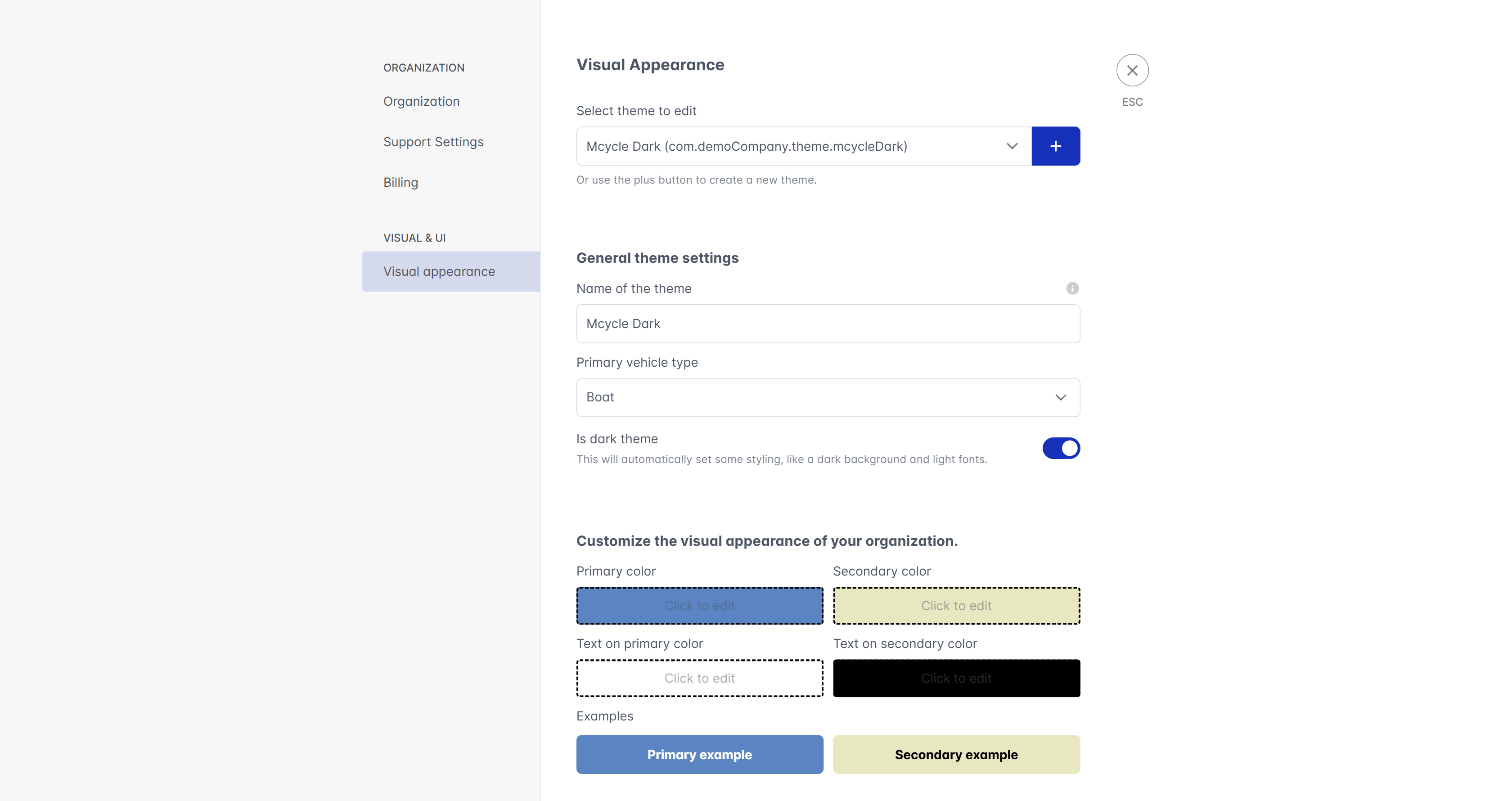
The visual settings allow you to customize the appearance of the OEM Suite, Professional Hub and Private Webapp for your organization.
It allows uploading various logos and images that will be shown to your customers in different places.
You can also customize the primary color used in the apps to match your corporate design.
## Visual settings
The visual settings allow you to customize the appearance of the OEM Suite, Professional Hub and Private Webapp for your organization.
It allows uploading various logos and images that will be shown to your customers in different places.
You can also customize the primary color used in the apps to match your corporate design.
 White-labeling is only available for enterprise customers. Please contact your account manager for more information.